

Preserve Evidence: Photo Colorization for Families & Volunteers
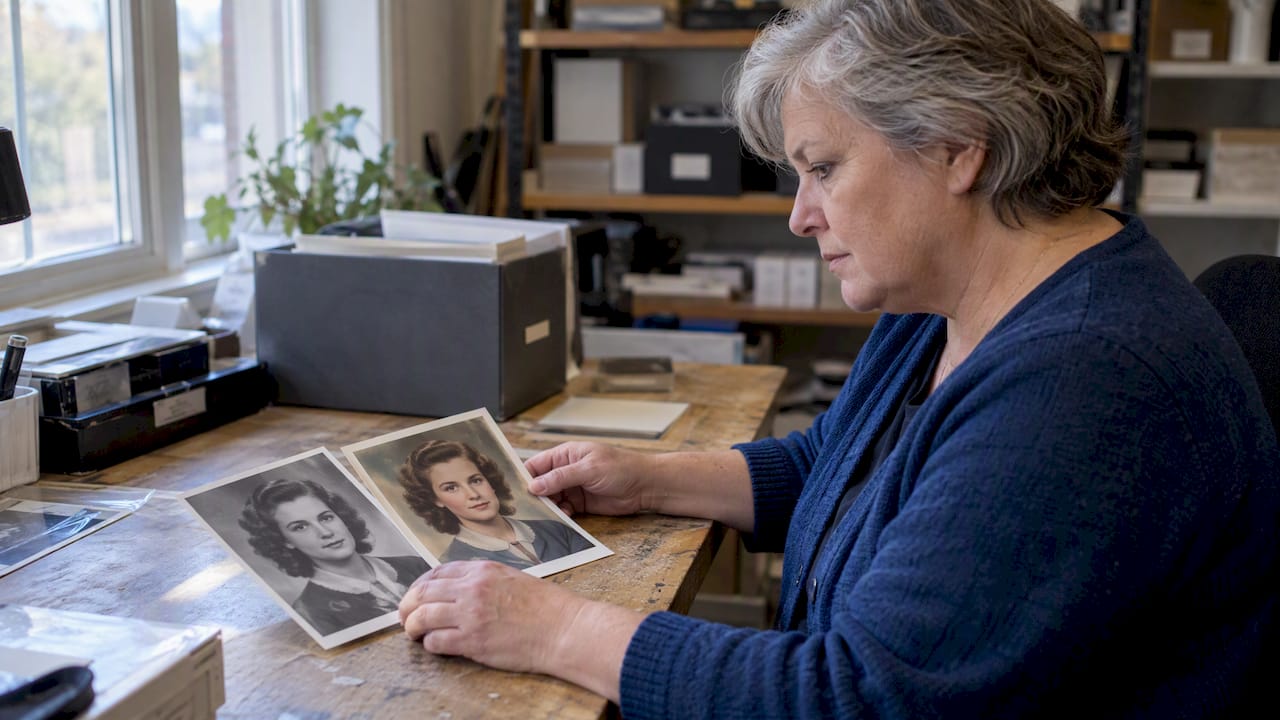
Yes, colorizing a black-and-white or low-quality investigative photo can improve how a face, vehicle, or object gets recognized, but it is not evidence on its own. It only holds up when you work from a protected duplicate, document every step, and label the result clearly as a processed visualization rather than confirmed fact. Hand it to investigators before you share it anywhere else.
TL;DR:
- AI colorization estimates plausible colors rather than recovering them; low resolution especially undermines skin tones, clothing details, license plates, and vehicle lights.
- Keep the source untouched, make a write protected copy, hash both files, save them as TIFF or PNG, and record each processing step and setting.
- Use a colorized image to prompt witness memory or refine a clothing or vehicle description, never to identify or clear a suspect by itself.
- Before official use, have a second person with forensic imaging experience review the result and compare outputs from multiple methods when possible.
- Send investigators the original and processing log first; public posts should show both versions, label colors as estimates, and wait for agency review.
Table of Contents
- What Photo Colorization Actually Does and Where It Fails
- When a Colorized Image Helps and When It Hurts
- A Step-by-Step Workflow That Preserves Evidence Integrity
- How to Validate a Colorized Image Before You Trust It
- Sharing Colorized Images With Police, Media, or the Public
- How Crime Solvers Central Supports Image-Based Cold-Case Work
- Why Caution Matters More Than the Technology
- Membership Tools for Families and Volunteers Working Image Leads
- FAQ
- Sources
What Photo Colorization Actually Does and Where It Fails
Photo colorization, in the investigative sense, means adding plausible color to a black-and-white or degraded photograph such as a mugshot, crime scene still, or surveillance frame, to help someone recognize a person, vehicle, or object. That is a different task from the color printing or design work people sometimes mean when they search for “colorization,” and nothing here applies to that.
Most modern tools rely on convolutional neural networks or neural style transfer trained on large photo collections to predict likely colors for a grayscale image. Research on automated colorization shows these systems can produce convincing results, but the underlying problem is underconstrained: a gray pixel could plausibly be several different colors, so the network is making an educated guess, not recovering a fact.
That guesswork shows up in predictable ways:
- Skin tones often shift toward whatever the training data saw most, which can misrepresent a person’s actual complexion.
- Small details like a jacket patch, license plate, or taillight color are frequently smoothed over or invented.
- Low-resolution CCTV stills amplify every one of these errors because there is less real information for the model to work from.
For identification work, those failure modes matter more than they would for a nostalgic family photo. A wrongly colored vehicle can send a tip line down the wrong road entirely.
When a Colorized Image Helps and When It Hurts
Colorization earns its place in a cold case when it jogs a witness’s memory or helps someone describe a vehicle or clothing color more specifically during a tip call. It becomes a liability the moment it is treated as a substitute for verified fact.
Use it for:
- Prompting a family member or witness to recall details they could not place in grayscale.
- Narrowing a vehicle or clothing color description for a tip line or BOLO.
- Generating public interest in a case alongside the original photo, never instead of it.
Avoid it for:
- Any identification offered as courtroom evidence without expert validation.
- A sole basis for naming or clearing a suspect.
- Unsupervised public release before investigators have seen both versions.
Before processing or posting anything, ask: does the investigating agency know this image exists, and will the final post show both the original and the colorized version side by side?
A Step-by-Step Workflow That Preserves Evidence Integrity
Treat every original photo as something you cannot afford to damage, even digitally. The OSAC/NIST standard guide for forensic digital image management states plainly that originals must be preserved untouched, with all enhancement work done on a separate working copy, and every step recorded.
Step 1: Preserve the original. Make a write-protected duplicate, compute a hash value for both the original and the copy, and save everything in a lossless format like TIFF or PNG rather than a compressed JPEG.
Step 2: Capture provenance. Note the device that captured the image, the timestamp, who supplied it, and the chain it passed through before reaching you. This context matters as much as the pixels.
Step 3: Work in order, lightest touch first. Start with minimal tonal correction (levels, curves, or Contrast Limited Adaptive Histogram Equalization, known as CLAHE) before touching color at all. Move to selective channel work in Lab color mode if needed, then apply supervised colorization or manual artist work, and finish with conservative, minimal post-processing. Record the software name, version number, and exact settings at every stage, which OJP/NIJ best practices require so another trained person could reproduce your results.
- Keep originals and processed files in separate, clearly labeled folders.
- Archive both with periodic fixity checks to confirm nothing has changed.
- Export a short processing log, readable in plain language, to travel with any submission.
For tool classes, general image-editing suites handle tonal work and Lab-mode adjustments, while ImageJ is a common choice for applying CLAHE with documented parameters, and Photoshop appears often in state forensic imaging SOPs for both contrast and channel work. None of these tools replace verification by a second person.
Pro Tip: Save your processing log as a plain text file alongside the image folder, not buried in software metadata nobody will open.
How to Validate a Colorized Image Before You Trust It
Documentation is only useful if someone actually checks your work. The SWGDE image processing guidelines warn that severe nonlinear contrast or color adjustments can introduce artifacts, and recommend that every adjustment be documented and measured against established standards before anyone relies on the result.
- List the exact software name, version, and settings used, so a comparably trained person could rerun the same steps and reach the same image.
- Ask a second person, ideally someone with forensic imaging experience, to review the output independently before it goes anywhere official.
- Run the same source image through more than one colorization method where possible and compare the outputs for consistency; a NIST study on neural style transfer found that performance varies enough across methods that human-in-the-loop validation is necessary, not optional.
- Keep the original hash on file so you can prove the source image was never altered.
Label every processed image prominently as a visualization, and attach a short sentence noting that colors are algorithmic estimates, not confirmed facts.
Sharing Colorized Images With Police, Media, or the Public
A colorized image only helps if the right people see it with the right context. Route it to the investigating agency first whenever one exists, and hand over the original file alongside your processing log, not just the finished visualization.
- Caption or watermark any public release clearly, something like “processed visualization, colors are plausible, not confirmed,” and coordinate timing with investigators rather than posting first.
- Never offer a colorized image as a replacement for a formal photo array or witness identification procedure run by police.
- Strip unnecessary personal metadata and sensitive details before any public post, and think through who could be harmed if the image reaches the wrong audience.
Our guide to ethical online investigations walks through these sharing decisions in more depth, and our piece on community collaboration covers how volunteers and agencies can coordinate before a release goes out.
How Crime Solvers Central Supports Image-Based Cold-Case Work
We built our national database, covering more than 264,000 cases organized by state and situation, as a place to keep an image workflow organized rather than scattered across group chats. Members get access to digital evidence boards where a working copy and its processing log can sit next to the original, forums for coordinating with other volunteers, and image tools alongside documentation support. Our guide to using the national database shows how to organize case materials so a vetted visualization reaches investigators with context intact, not just as an isolated image.
Why Caution Matters More Than the Technology
The most common mistake we see is treating colorization as a shortcut to certainty when it is really a prompt for human memory. The technology gets better every year, but the core problem, that gray pixels do not encode their true color, has not changed and will not change no matter how good the model gets. That is worth sitting with before you post anything.
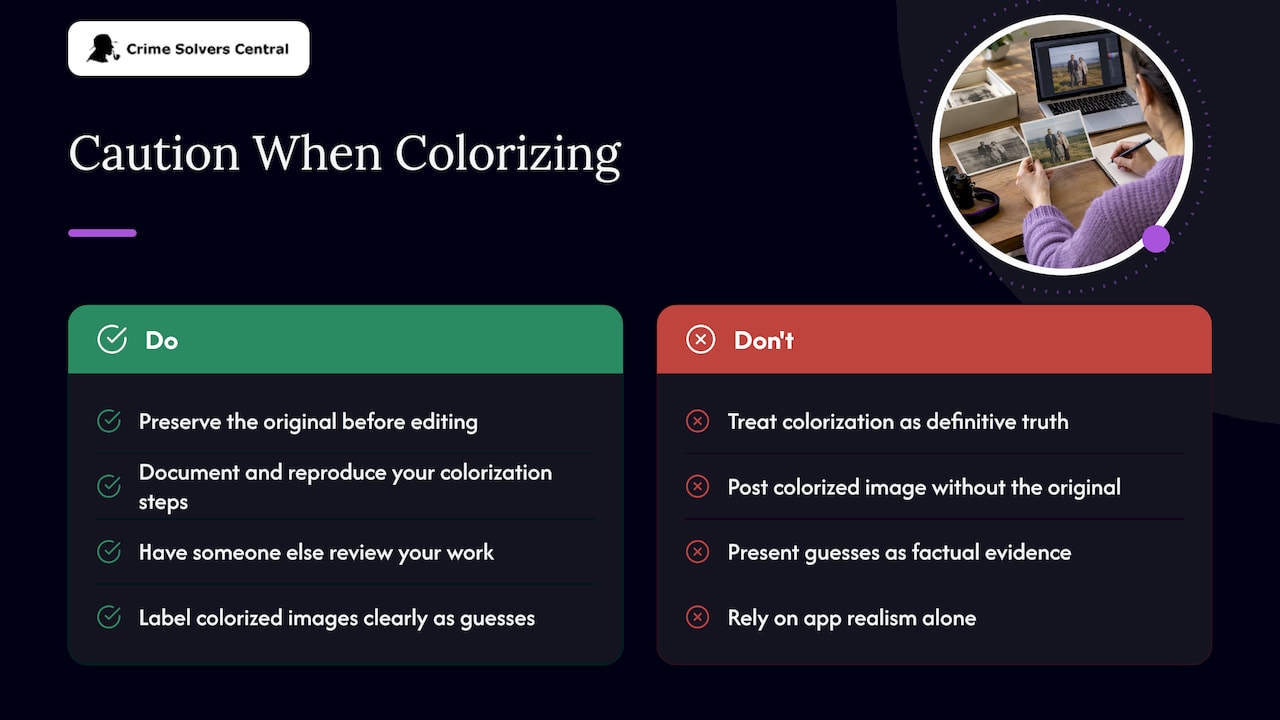
Conventional advice tends to focus on which app produces the most realistic-looking result. That is the wrong question. The right question is whether you can reproduce your own steps, whether someone else has checked your work, and whether the image is labeled honestly enough that a tip line caller or a juror years from now will not mistake a guess for a fact.
If you take one thing from this: preserve the original before you touch anything, and treat every colorized version as a conversation starter with investigators, never as the final word.
— Crime
Membership Tools for Families and Volunteers Working Image Leads
Full case files, digital evidence boards, and AI image tools are all part of what opens up with a Crime Solvers Central membership, which makes sense if you are actively managing an image-based lead and need a place to keep originals, processed copies, and logs together with other volunteers.
- Jr. Detective access is available with monthly or annual subscriptions for core services.
- Sr. Detective access is available with monthly or annual subscriptions offering expanded services.
- True Crime Influencer access is available with monthly or annual subscriptions providing more comprehensive services.
Search the cold case database by state first to see if a case is already listed before deciding which plan fits your work.
FAQ
Can a colorized photo be used as evidence in court?
Generally no. Forensic imaging guidelines treat enhancement and colorization as interpretive tools that require documentation and independent validation, and SWGDE guidelines caution that heavy adjustments can introduce artifacts that compromise fidelity, so a colorized image supports an investigation rather than standing in as proof.
How accurate is AI colorization for old or low-resolution photos?
Accuracy drops noticeably on low-resolution images like older CCTV stills. NIST research found that algorithmic enhancement methods can help in some comparisons but perform inconsistently in others. Skin tones and small colored details are the areas most likely to be wrong.
What software do forensic examiners actually use for image enhancement?
State forensic imaging SOPs commonly reference general image-editing suites alongside ImageJ for applying CLAHE with recorded parameters. The specific tool matters less than documenting the version and settings used.
Should I colorize a photo before sending it to police?
Send the original first, and if you do colorize it, include the original file plus a plain-language processing log describing what software and settings you used. The OSAC/NIST standard guide recommends preserving originals and documenting every processing step for exactly this reason.
Is it ethical to post a colorized image of a missing or deceased person publicly?
It can be, provided the post clearly labels the image as a processed visualization and the investigating agency has had a chance to review it first. Our guide to ethical online investigation covers how to weigh privacy and public benefit before sharing.
Sources
- Best practices: documenting image enhancement (OJP/NIJ abstract)
- OSAC/NIST Standard Guide for Forensic Digital Image Management (2024)
- Connecticut DESPP digital image management SOP (includes CLAHE guidance)
- SWGDE image processing guidelines
- An investigation of applications of neural style transfer to forensic footwear comparison (NIST 2023)